Get a free Roblox T-shirt template PNG and design custom Roblox T-shirts.

 Reckblox

These are the latest Roblox promo codes you can redeem for free items and more, including the latest Nguyen Boi and Gon Bundles

Roblox promo codes are highly sought after by players who want to unlock free Roblox items and bonuses, but in recent years they’ve become much harder to find. Roblox rarely releases new promo codes now, which means updates are few and far between. The most recent Roblox redeem codes added to our list arrived toward the end of 2024, and since then there haven’t been any new codes released.
This guide is designed to show you the latest working Roblox promo codes, the free items you can unlock, and how to redeem Roblox codes correctly. It also helps you avoid misleading content online. Many creators claim to have “new Roblox codes,” but often they simply recycle expired Roblox promo codes or even invent completely fake ones to attract views. Every code listed here has been tested and verified to ensure it is 100% legitimate and currently working at the time of writing.
Many Roblox promo codes are tied to special events, promotions, or limited-time campaigns, which means they can expire quickly. If you find a working Roblox code, it’s best to redeem it immediately before it disappears. Players who successfully redeem these codes can unlock exclusive Roblox items and cosmetics, allowing them to stand out in the game.
After a long gap since the previous batch of Roblox redeem codes launched in late 2022, Roblox finally released two new items in December 2024: the Nguyen Boi Bundle and the Nguyen Gon Bundle. These promo codes remained active throughout 2025, although there’s no guarantee they will continue working in 2026.


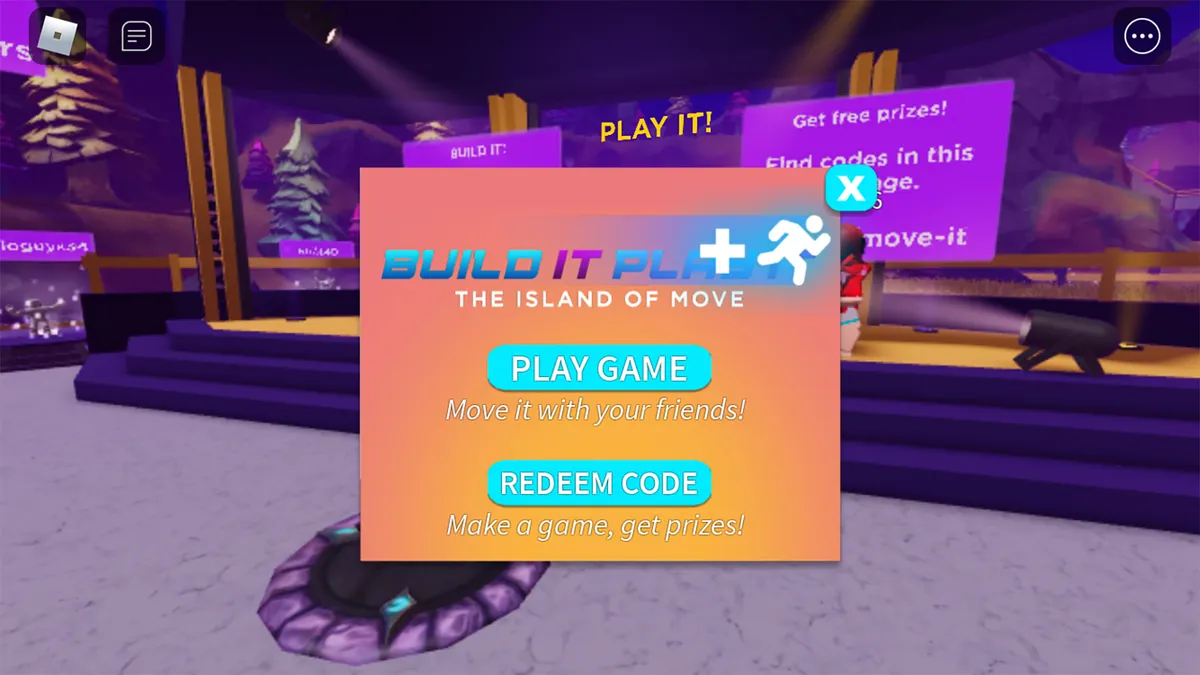
Island of Move – walk forward and interact with the PLAY IT! prompt, then choose REDEEM CODE and type in the following codes:

Mansion of Wonder – walk forward and interact with the Swag Booth prompt, then choose Redeem Code and enter the following codes:


Roblox is one of the most popular games in the world, but many mobile players still struggle with one simple feature — Shift Lock.
If you’ve ever watched PC players move smoothly and control their character better, they’re probably using Shift Lock. The good news? You can use a similar setup on mobile too.
In this guide, I’ll show you exactly how to enable shift lock on Roblox mobile step-by-step.
Shift Lock locks your camera behind your character, making movement and aiming much easier.
Players use it for:
On PC, it’s activated by pressing Shift, but mobile works a little differently.

First, launch Roblox on your phone and join any game.
Once you’re inside the game:

Inside the settings menu, look for the option called:
Shift Lock Switch
Turn this ON.
This allows games that support shift lock to enable the feature.

Not every game allows shift lock.
Many popular Roblox games support it, especially:
If shift lock is supported, the camera will lock behind your character when activated.
If it isn’t working, here are the most common reasons:
1. The game disabled it
Some developers turn it off.
2. The setting is off
Check that Shift Lock Switch is enabled.
3. Mobile control limitations
Mobile doesn’t have a physical Shift key, so some games handle it differently.