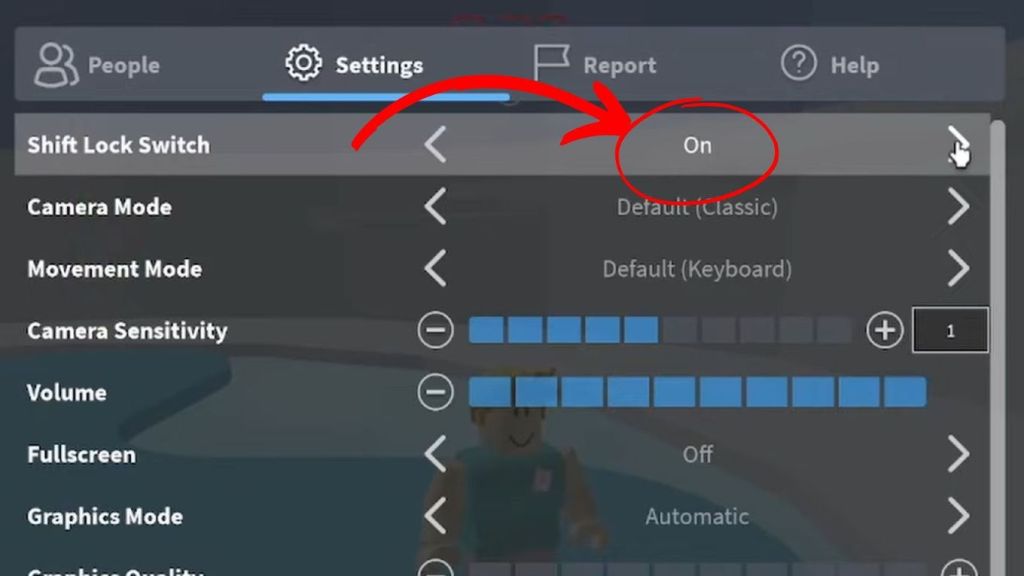
Check In-Game Settings: Open the game menu (Roblox icon) and ensure “Shift Lock Switch” is turned ON.
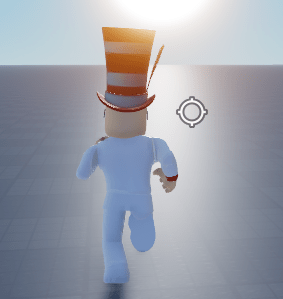
Toggle the Button: If enabled, a small lock icon or button will appear on the right side of your screen to toggle the mode.
Alternative (Classic Camera): If Shift Lock is not available, go to Settings, find “Camera Mode” and set it to Classic. This fixes the camera behind your character for a similar effect.
Important Notes:
- Developer Dependent: Shift lock is only available on mobile if the game creator has enabled it.
- Alternative for No Support: If a game does not support shift lock, you may need to rely on the “Classic” camera mode.
- Fixing Stuck Camera: If stuck in shift lock, try resetting your avatar, re-joining, or checking the settings menu again.
 Roblox Tutorials & Games
Leave a comment